
Journaling with IndexedDB and Service Workers
I love journaling.
I’ve been doing it, on and off, since middle school until now. First using pen and paper, then using journaling apps like Grid Diary, and recently, I made my own app to tailor it to my specific journaling needs.
What “specific journaling needs” exactly though?
I personally am quite obsessed with the concept of timestamps and chronology.
Whenever I want to write in my journal, I usually (manually) add the date and time first. Doing it on pen and paper, or using other apps that don’t support this feature natively, is quite tedious. That’s why I made my own app.
After testing it for one or two months, I realized that I didn’t need my Grid Diary app anymore. So I decided to uninstall it and fully migrate everything to my own app.
But after continued usage, I finally found one small yet annoying source of friction.
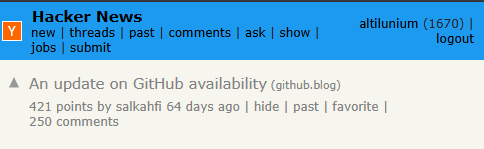
This “app” is hosted on GitHub Pages. So whenever I want to write a journal entry — which I do sporadically whenever I get an idea during the day — there’s this annoying loading time while my browser contacts GitHub’s server.
Sometimes it’s quick. Sometimes it’s really slow.
So, my app is at the mercy of GitHub’s availability.
Today is July 1.
On the first day of every month, I usually back up the entire previous month’s journal somewhere else.
Now I realize that this is a good time to update the app and fix that problem because updating it in the middle of the month could risk erasing my past journal data.
The solution is : Progressive Web Apps (PWAs).
I heard that you can access the app offline by using this technique.
There’s this “service worker” JavaScript file (sw.js) that runs separately from the actual web page. It sits between the browser and the server, intercepting network requests.
And there’s this “install” event, triggered immediately after the browser downloads a new sw.js.
const CACHE = "chronoo-v1";

const ASSETS = [
    "./",
    "./index.html",
    "./script.js",
    "./style.css",
    "./icon-192.png",
    "./icon-512.png",
];

self.addEventListener("install", event => {
    event.waitUntil(
        caches.open(CACHE).then(cache => cache.addAll(ASSETS))
    );
});
By using this, during the “install” event, we can cache all the required resources for our web app (.html, .css, .js, etc.).
Then, when there’s a “fetch” event (this is where the network request interception begins), sw.js can match the request and serve it directly from the cache instead of requesting it from the server.
self.addEventListener("fetch", event => {
    event.respondWith(
        caches.match(event.request).then(res => {
            return res || fetch(event.request);
        })
    );
});
ChatGPT said:
“They remain cached there across refreshes, closing and reopening the browser, restarting the device, and being offline for days, weeks, or months. But this cache can disappear if the user clears browsing data, uninstalls the PWA, or the browser decides to reclaim storage because the device is running very low on disk space. Normally, browsers try very hard to keep PWA data around. Chrome, for example, treats storage for frequently used sites as valuable and is generally conservative about evicting it.”
When a user accesses a web app, they don’t directly go to sw.js. They follow the usual procedure: load the main HTML file, then start executing whatever JavaScript is included on that page.
So, we need to add a small snippet to the JavaScript inside the main HTML file to tell the browser to install the service worker.
Put this at the very bottom of the <script> tag, just before </script>. We put this snippet at the bottom to make sure it’s executed last, after everything else is already ready.
if ("serviceWorker" in navigator) {
    navigator.serviceWorker.register("./sw.js");
}
navigator is a built-in JavaScript object that represents the user’s browser. Asking if ("serviceWorker" in navigator) is simply checking whether the user’s browser supports the Service Worker API. If it does, then register this service worker: sw.js.
After that, the browser executes the service worker in a separate context: a background worker whose job is to intercept network requests, manage caches, and perform background tasks independently of the page.
ChatGPT said:
“90% of PWAs use service workers primarily for three things: offline caching, background synchronization, and push notifications.”
Now, my journaling app is accessible offline.
I tested it by turning Airplane Mode on and off. It seems to be working. Cool.
ChatGPT said:
“The concept of the Progressive Web App (PWA) was introduced in 2015 by Alex Russell and Frances Berriman.”
“The name itself came from the idea of progressive enhancement, a long-standing philosophy in web development. A PWA should work for everyone as a normal website, but users with modern browsers progressively receive more advanced capabilities. As Alex Russell later explained, the web had acquired powerful new capabilities without anyone giving this emerging class of applications a name, so he and Frances Berriman decided to define and name it. Frances Berriman originally suggested the term ‘Progressive Open Web Apps,’ which they later shortened to ‘Progressive Web Apps.’”
“A significant milestone was June 15, 2015, when Alex Russell published the essay ‘Progressive Web Apps: Escaping Tabs Without Losing Our Soul.’ That article effectively launched the concept publicly and outlined the characteristics of a PWA, such as being progressive, responsive, connectivity-independent, installable, and app-like.”
“It happens on the web from time to time that powerful technologies come to exist without the benefit of marketing departments or slick packaging. They linger and grow at the peripheries, becoming old hat to a tiny group while remaining nearly invisible to everyone else. Until someone names them.”
“XMLHttpRequest was available broadly since IE5 and in Gecko-based browsers as early as 2000. ‘AJAX’ happened five years later.”
“Over dinner last night, Frances and I enumerated the attributes of this new class of applications: Responsive, to fit any form factor. Connectivity independent, progressively enhanced with Service Workers to let them work offline…”
“Frances called them ‘Progressive Open Web Apps,’ and we both came around to just ‘Progressive Apps.’ They existed before, but now they have a name.”
“What Progressive Apps Look Like?”
“The site begins life as a regular tab. It doesn’t have superpowers, but it is built using Progressive App features including TLS, Service Workers, Manifests, and Responsive Design.”
“The second (or third or fourth) time one visits the site, roughly at the point where the browser is sure it’s something you use frequently, a prompt is shown by the browser (populated from the Manifest details). Users can decide to keep apps on the home screen or app launcher. When launched from the home screen, these apps blend into their environment. They’re top-level, full-screen, and work offline. Of course, they worked offline after step one, but now the implicit contract of ‘appyness’ makes that clear.”