
Angkot
I’ve been living in this city (Bekasi) for decades.
One of the only functioning public transportation here is this “share taxi” called an “angkot” (short for “angkutan kota”, literally meaning “city transportation”).
In case you don’t know what a share taxi is, here’s a definition from Wikipedia :
“Share taxis usually take passengers on a fixed or semi-fixed route without timetables, sometimes only departing when all seats are filled. They may stop anywhere to pick up or drop off their passengers. They are most common in developing countries and inner cities.”
Yet after all these decades, I still don’t know the exact routes of those angkots.
All I know are their route codes, their specific liveries (sometimes the routes are conveniently color-coded, sometimes not), and, occasionally, the important places, neighborhoods, quarters, or suburbs listed on their front or rear windows that they visit during a full round trip.
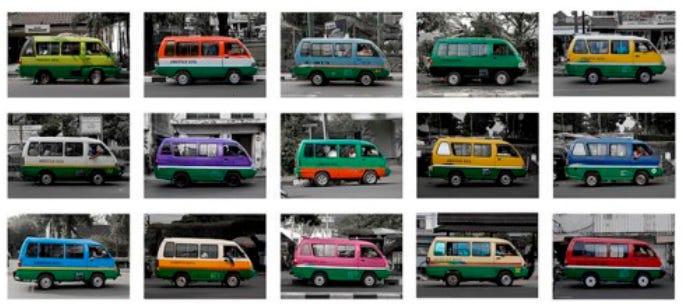
But their exact routes -- like which roads they actually take --remain a mystery to me.
I guess the only way to find out is to simply get on one and enjoy the trip while taking notes on which roads the vehicle takes along the way.
Or maybe the city’s transportation authority already has that route data. But I wonder why they don’t share it with the public.
Anyway, these angkots are already on the brink of extinction.
I don’t have a private means of transportation, so all this time I’ve commuted solely by relying on public transportation services.
One day, I got stranded at night because I didn’t see any angkots operating.
Wait.
It wasn’t just one day.
That happened often, several times.
I don’t know what caused them to decline. Maybe competition from ride-hailing services? Probably. But I still prefer angkots since they’re much, much cheaper than those ride-hailing services.
So, anyway. One day, after visiting my sick sister in the hospital, I wanted to go home. So I waited for an angkot near the hospital.
That morning, I saw an angkot, but it was on the opposite side of the road, traveling from south to north.
My home is in the south, so I couldn’t do anything about that. I waited for a north-to-south angkot instead. While waiting, I took a close-up photo of an angkot that was standing by right in front of me.
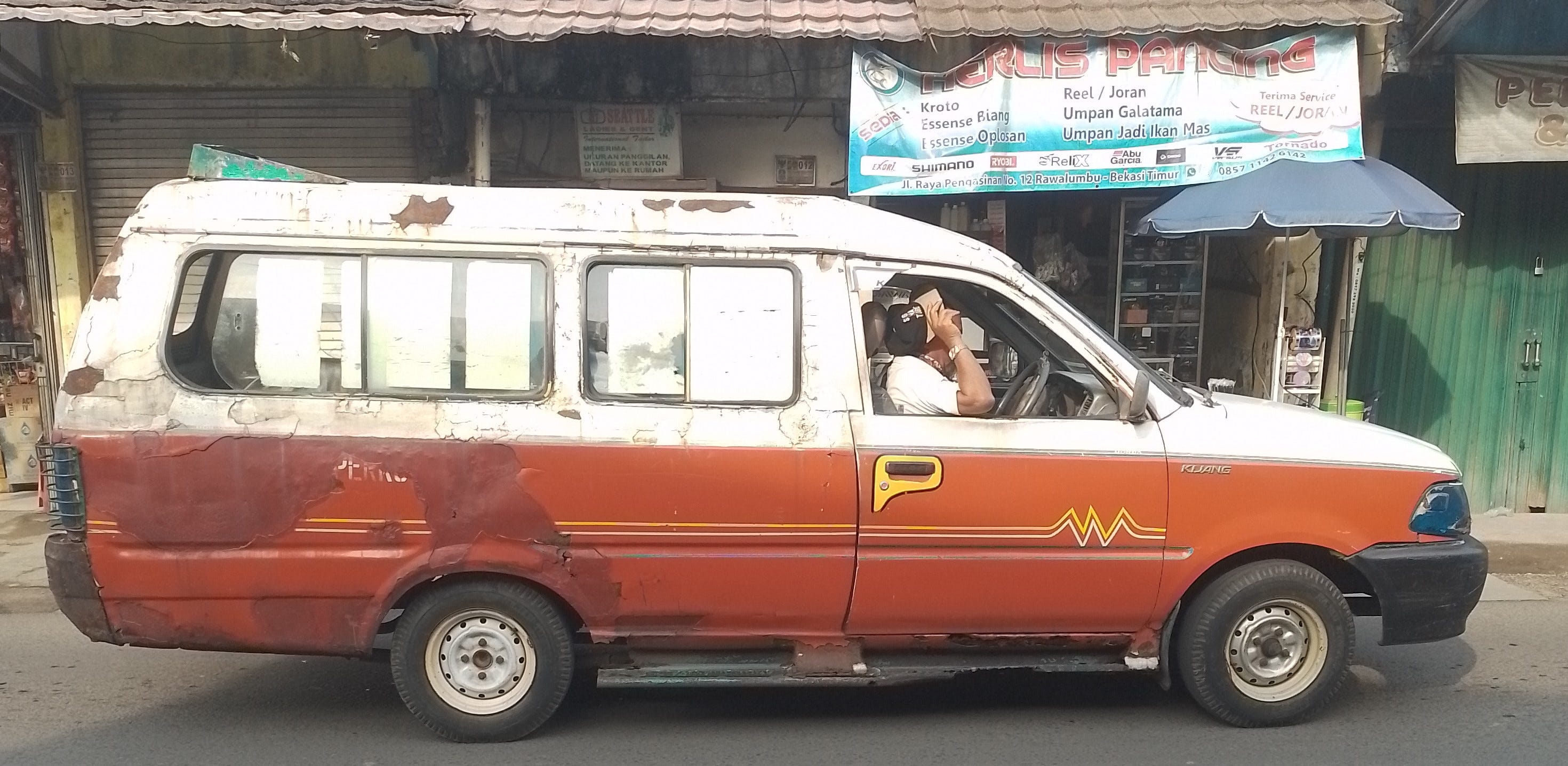
Then I thought, maybe I could tell random people on the internet everything I know about this specific angkot.
Like, I know what this angkot looks like (I just took a photo of it). I know part of the exact route it usually takes.
Now, how do I “package” this “useful” (?) information for the internet?
Well, I could simply make a blog post and hope it’ll be crawled by Google one day. Then some random person might visit my blog and find the article.
In that article, I could include a photo, the route code, and the important places visited by that angkot route...
But how do I show the exact route that this angkot takes?
Take a screenshot of an OSM map and draw a rough line with Microsoft Paint?
Plausible, but bad.
The manual scribbling with my mouse could be messy. And people wouldn’t be able to zoom in for finer map details. I’d prefer a zoomable map. A proper interactive map.
Alright. I have an idea.
Go to BRouter and make a “fake” routing calculation, just to make sure the route line coincides with the actual angkot route.
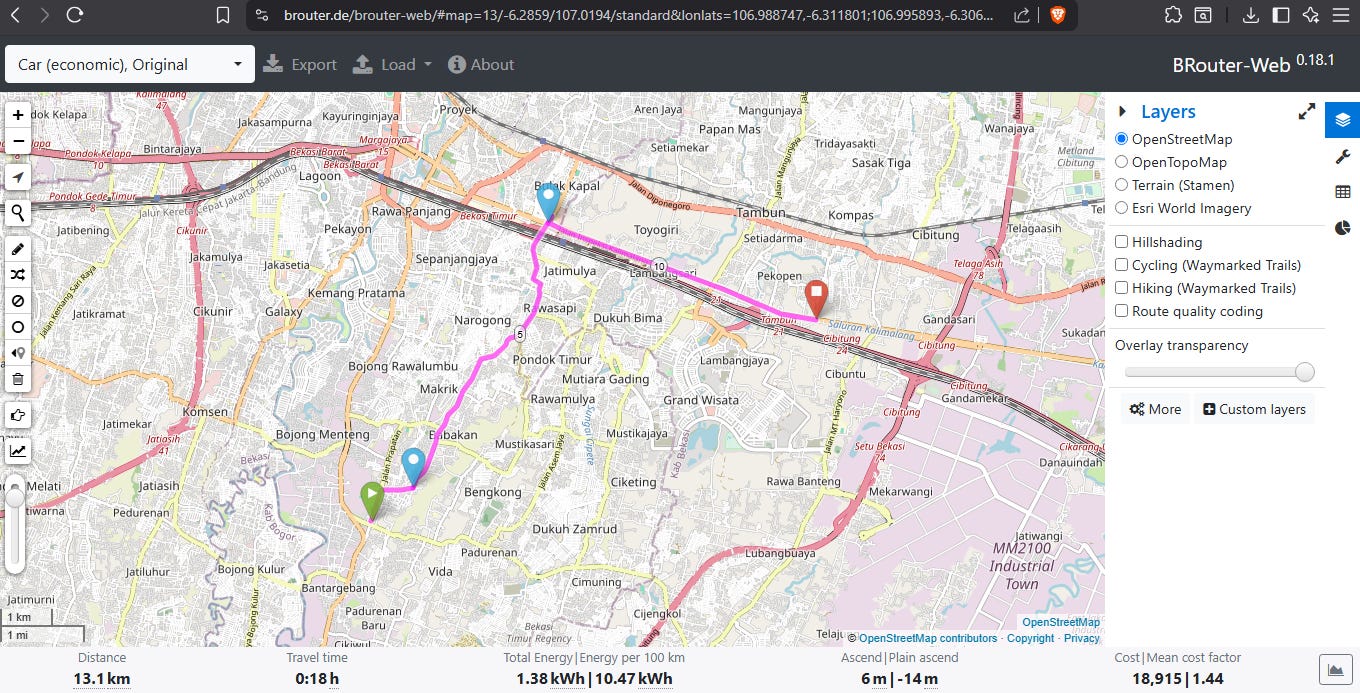
Then export the calculated route data as GeoJSON.
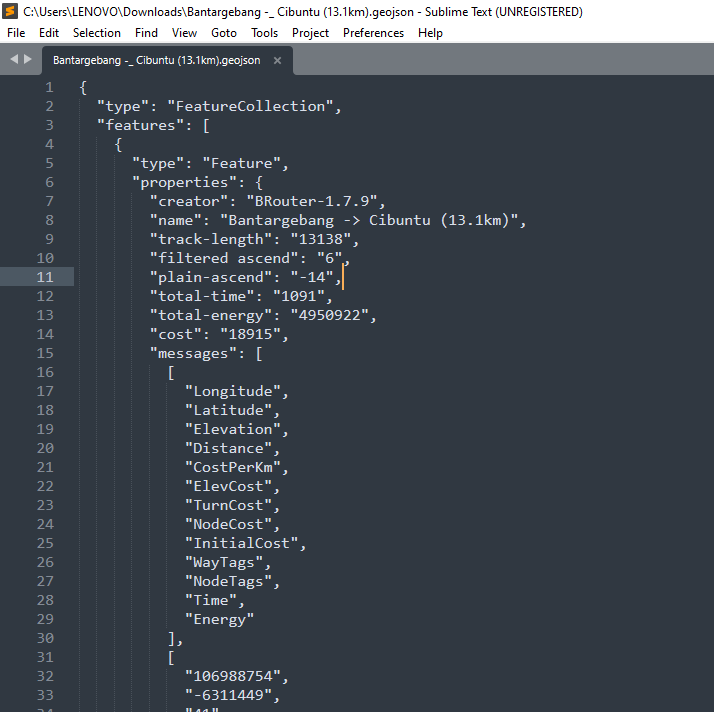
After that, package the GeoJSON inside an HTML file. In that file, the GeoJSON LineString will be rendered on top of an OSM map using the MapLibre library.
<!DOCTYPE html>
<html lang="en">
<head>
<meta charset="utf-8">
<meta name="viewport" content="width=device-width, initial-scale=1">
<title>GeoJSON Viewer</title>

<link
    href="https://unpkg.com/maplibre-gl@5.6.2/dist/maplibre-gl.css"
    rel="stylesheet"
/>

<style>
html, body, #map {
    width: 100%;
    height: 100%;
    margin: 0;
}
</style>
</head>
<body>

<div id="map"></div>

<script src="https://unpkg.com/maplibre-gl@5.6.2/dist/maplibre-gl.js"></script>

<script>
// Paste your GeoJSON here
const geojson = {
    "type": "FeatureCollection",
    "features": [
        {
            "type": "Feature",
            "geometry": {
                "type": "LineString",
                "coordinates": [
                    [106.816666, -6.20],
                    [106.85, -6.18],
                    [106.90, -6.15]
                ]
            },
            "properties": {}
        }
    ]
};

const map = new maplibregl.Map({
    container: "map",
    center: [0, 0],
    zoom: 2,
    style: {
        version: 8,
        sources: {
            osm: {
                type: "raster",
                tiles: [
                    "https://tile.openstreetmap.org/{z}/{x}/{y}.png"
                ],
                tileSize: 256,
                attribution:
                    "© OpenStreetMap contributors"
            }
        },
        layers: [
            {
                id: "osm",
                type: "raster",
                source: "osm"
            }
        ]
    }
});

map.addControl(new maplibregl.NavigationControl());

map.on("load", () => {

    map.addSource("route", {
        type: "geojson",
        data: geojson
    });

    map.addLayer({
        id: "route-line",
        type: "line",
        source: "route",
        paint: {
            "line-color": "#ff0000",
            "line-width": 4
        }
    });

    const bounds = new maplibregl.LngLatBounds();

    function scanGeometry(geometry) {
        if (!geometry) return;

        if (geometry.type === "LineString") {
            geometry.coordinates.forEach(coord => bounds.extend(coord));
        }

        if (geometry.type === "MultiLineString") {
            geometry.coordinates.forEach(line =>
                line.forEach(coord => bounds.extend(coord))
            );
        }
    }

    if (geojson.type === "FeatureCollection") {
        geojson.features.forEach(f => scanGeometry(f.geometry));
    } else if (geojson.type === "Feature") {
        scanGeometry(geojson.geometry);
    } else {
        scanGeometry(geojson);
    }

    if (!bounds.isEmpty()) {
        map.fitBounds(bounds, {
            padding: 40
        });
    }
});
</script>

</body>
</html>
Host it on GitHub Pages (well, it’s just a single HTML file), then link that page from my blog article.
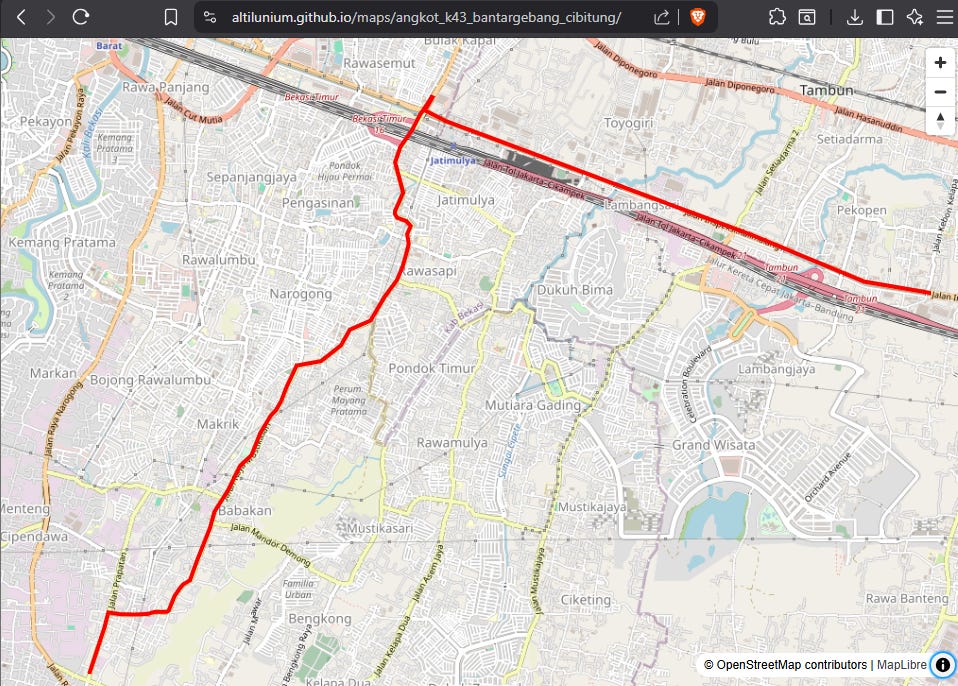
Alright. Acceptable solution.